Mail Sorter Bot
Details
An email account with IMAP access enabled
Python 3.9+, configured automatically during setup
Stable internet connection
4GB RAM minimum
What’s included
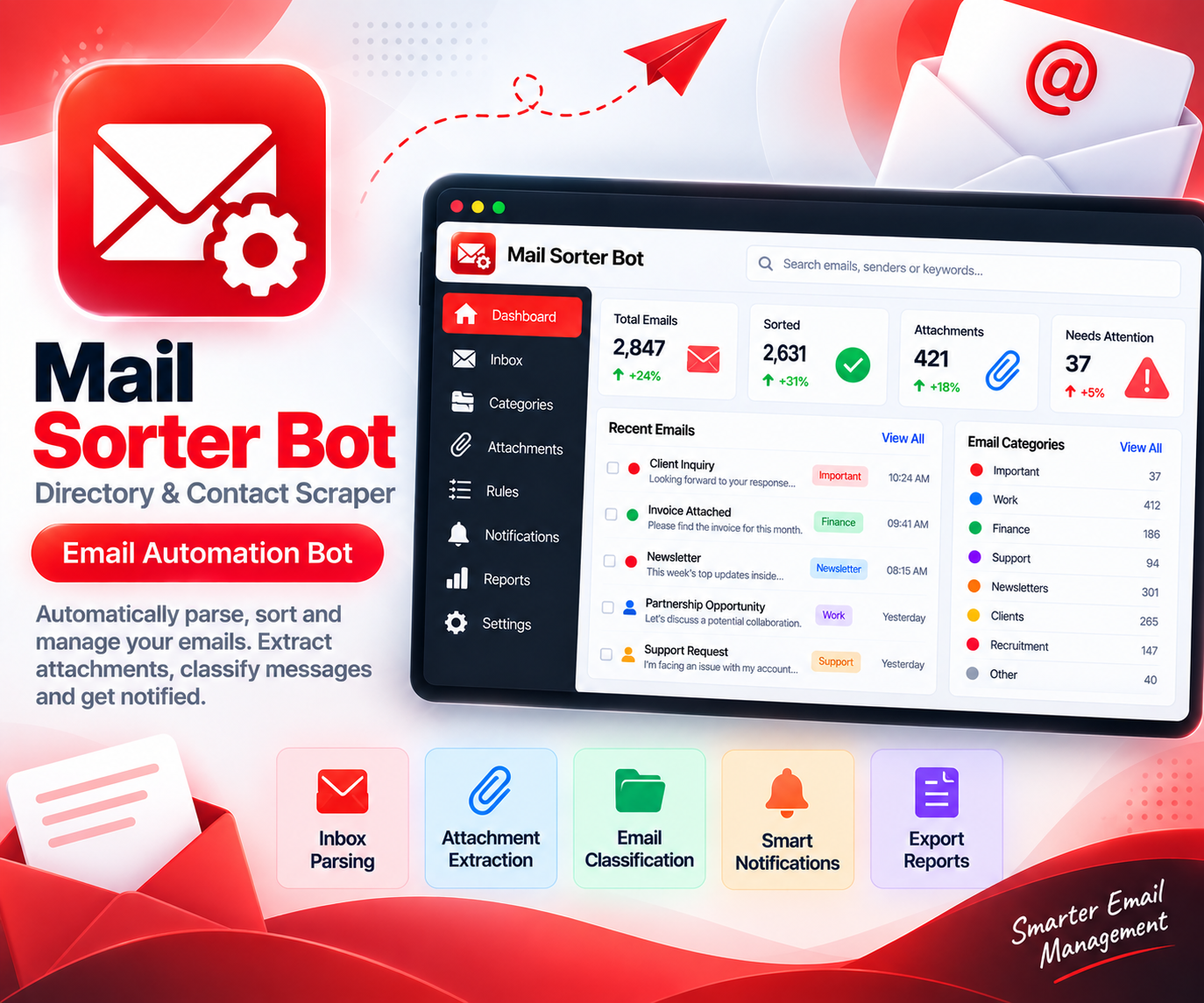
Inbox Parsing
Reads through incoming messages and breaks each one down into sender, subject, and body text.
Attachment Extraction
Pulls attached files out of emails and saves them into organized folders automatically.
Email Classification
Sorts messages into categories like invoices, support requests, or newsletters based on your rules.
Notification Workflows
Sends a ping through email, Slack, or webhook whenever a message matches a condition you've set.
Custom Rule Sets
Build your own sorting logic using sender, subject keywords, or attachment type.
Structured Export
Turns processed email data into CSV, Excel, or JSON for record-keeping or reporting.
How it works
Connect Your Inbox
Link the bot to your email account using IMAP credentials.
Build Your Rules
Decide how emails should be tagged, sorted, and which ones trigger a notification.
Turn On Automation
The bot begins processing new mail as it arrives, following your rule set.
Check the Sorted Results
Browse categorized emails and extracted attachments in one clean view.
Export the History
Pull processed email data into CSV, Excel, or JSON whenever needed.
Use cases
Customer Support Teams
Automatically route support emails to the right queue based on subject or sender.
Accounting & Finance Staff
Extract invoice attachments from vendor emails without digging through the inbox.
Recruiters
Sort resumes and cover letters into folders by role or source automatically.
Small Business Owners
Get pinged only for the emails that actually need a personal reply.